
How to capture a NetLog dump
A NetLog dump is a log file of the browser's network-level events and state. You may be asked to provide this log when experiencing page load or performance problems.
Note: if you want to take a netlog for Android WebView, read this guide instead.
To create a NetLog dump, open a new tab and navigate to:
chrome://net-export/
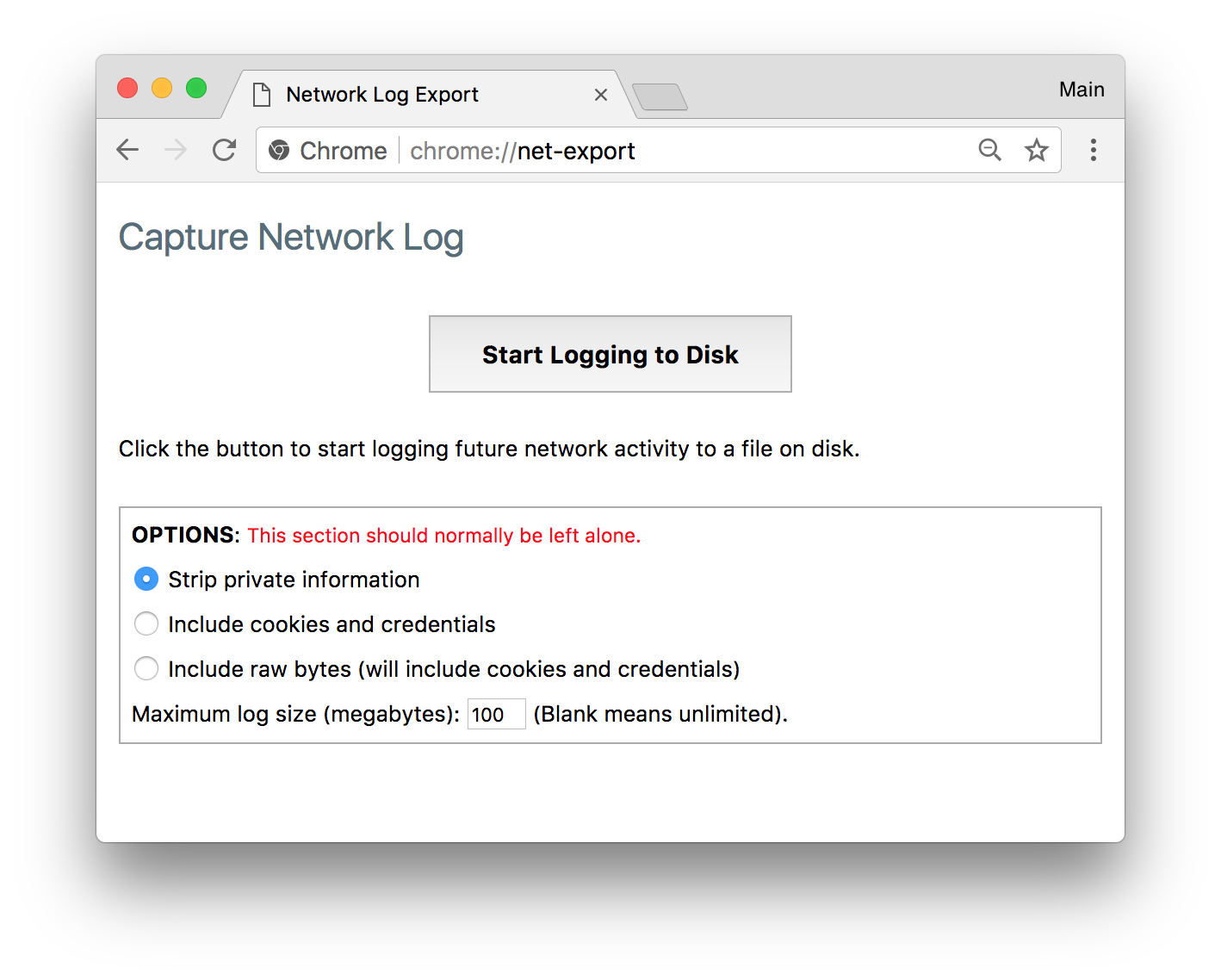
You can then follow the instructions on that page.
Step-by-step guide
- Open a new tab and go to chrome://net-export/
- Click the Start Logging To Disk button.
- Reproduce the network problem in a different tab (the chrome://net-export/ tab needs to stay open or logging will automatically stop.)
- Click Stop Logging button.
- Provide the resulting log file to the bug investigator.
- Either attach the file to your existing or new bug report, or send email to the bug investigator.
- Provide the entire log file. Snippets are rarely sufficient to diagnose problems.
- Include any relevant URLs or details to focus on.
PRIVACY: When attaching log files to bug reports, note that Chrome bug reports are publicly visible by default. If you would prefer it be only visible to Google employees, mention this on the bug and wait for a Google engineer to restrict visibility of the bug before you attach the file.
Advanced: Byte-level captures
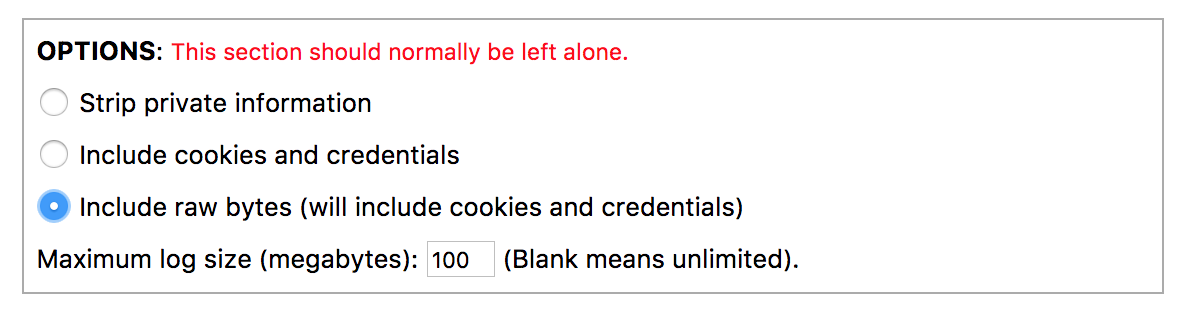
By default, NetLog dumps do not include all of the raw bytes (encrypted or otherwise) that were transmitted over the network.
To include this data in the log file, select the Include raw bytes option at the bottom of the chrome://net-export/ page:
PRIVACY: Captures with this level of detail may include personal information and should generally be emailed rather than posted on public forums or public bugs.
Advanced: Logging on startup
If the problem that you want to log happens very early and you cannot start chrome://net-export in time, you can add a command line argument to Chrome that will start logging to a file from startup:
--log-net-log=C:\some_path\some_file_name.json
If a granularity for capture other than the default of "Strip private information" is needed, one of the following flags can be used:
- --net-log-capture-mode=IncludeSensitive
- --net-log-capture-mode=Everything
(As of M117) You can limit the maximum size of the log file using
--net-log-max-size-mb and specify the max size in megabytes. For example,
the following will limit the max log size to 100 MB:
- --net-log-max-size-mb=100
For info about adding command line options, see command-line-flags.
Advanced: Viewing the NetLog dump file
The log file can be loaded using the netlog_viewer.